SILENT AIMBOT
Enabled Target (Closest to Crosshair, Closest to Player) FOV Hit Rate Hit Rate Only Visible Bone (Head, Neck...) Show FOV Show Line
CHEATS
Krush: Rust Internal · Choose your access duration.
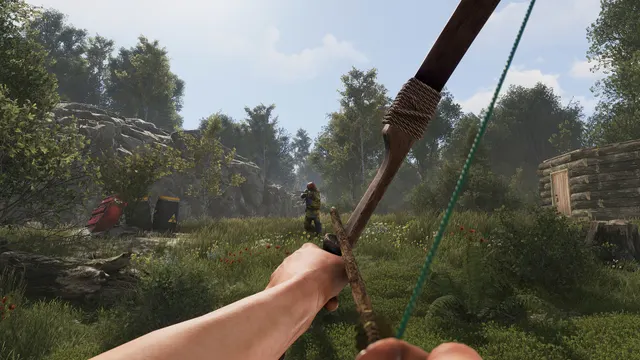
IN-GAME PREVIEW
8 screenshotsPRODUCT FEATURES
Krush: Rust Internal
Choose from the available access durations below. See the feature list and screenshots for this specific version.
Enabled Target (Closest to Crosshair, Closest to Player) FOV Hit Rate Hit Rate Only Visible Bone (Head, Neck...) Show FOV Show Line
Enabled Target (Closest to Crosshair, Closest to Player) FOV Smoothness Only Visible Prediction Bone (Head, Neck...) Show FOV Show Line
Enabled Name Skeleton Box (2D, 3D) Visible Check Snap Line Head Circle View Direction Hide Sleepers Skeleton Thickness Box Thickness Hide Teammates Distance Team Held Item Text Outline Text Position (Top, Bottom) Hotbar Items Hotbar Armor Hotbar Scale Max Distance
Enabled Name Distance Max Distance Text Outline Skeleton Box (2D, 3D) Snapline View Direction Head Circle Skeleton Thickness Box Thickness Filter (Scientist, Tunnel Dweller, Bandit...)
Enabled Name Amount Condition (Vertical, Horizontal, Text) Icon Distance Text Outline Category (Weapons, Ammo, Resources...) Max Distance
Enabled Name Distance Text Outline Filter (Tool Cupboard, Auto Turrent...) Max Distance
Enabled Name Distance Icon Text Outline Filter (Stone, Metal, Sulfur) Max Distance
Enabled Name Distance Max Distance Text Outline Filter (Standard Barrel, Biohazard Barrel...)
Enabled Name Distance Text Outline Filter (Hemp, Mushroom...) Max Distance
Enabled Name Distance Max Distance Text Outline
Enabled Player Arrows NPC Arrows Shape (Filled, Outline, Dotted) Radius Length Width
No Recoil (Yaw, Pitch) No Recoil (Yaw, Pitch) Bright Night Sky Color
CombatMode CombatMode Filter (Dropped, Ores, Plants...) Menu Bind Panic Mode Bind ESP Background ESP Background Opacity ESP Background Categories (NPCs, Dropped, Ores...) Crosshair Enabled Crosshair Gap Crosshair Length Crosshair Thickness Crosshair Dot Crosshair Outline Crosshair T-Shape Font Size VSync FPS Cap Menu DPI Menu Auto Scale Config Manager (Create, Load, Save...)
COMMON QUESTIONS
Enabled; Target (Closest to Crosshair, Closest to Player); FOV; Hit Rate; Only Visible. The full feature list above includes additional options.
Enabled; Name; Skeleton; Box (2D, 3D); Visible Check. The full feature list above includes additional options.
Enabled; Name; Amount; Condition (Vertical, Horizontal, Text); Icon. The full feature list above includes additional options.
Enabled; Name; Distance; Max Distance; Text Outline. The full feature list above includes additional options.
Yes. Your licence is delivered automatically as soon as payment is confirmed. Open the order in your Rogue account to view the delivery. Crypto payments need the required network confirmations first.
Open your product’s guides and downloads in your Rogue account. If you still need help, contact support with your order number and the exact error. Check the current product status after a game update.
TAKE A CLOSER LOOK
FROM THE COMMUNITY
Verified buyers. Real experiences.
Loading verified reviews…
Only verified buyers can leave a review.
Get help with an order, product setup, or your account.
Open a support ticket