SOFTWARE
GREY: ROB RUN.
BestSee Grey for ROB RUN: role-based player displays, loot-value filters, radar and saved profiles.
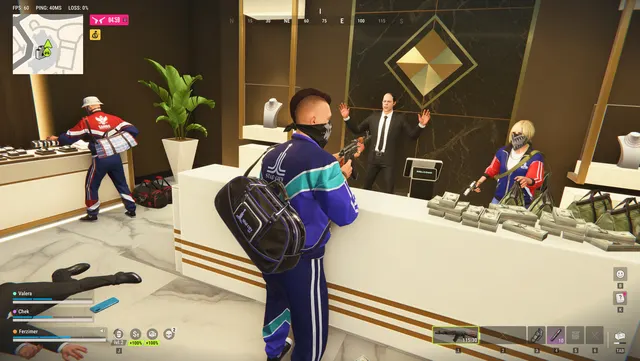
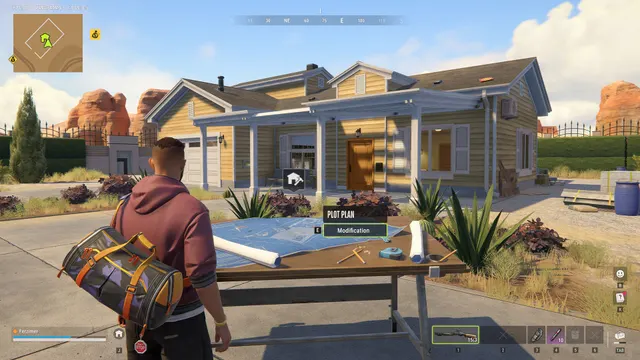
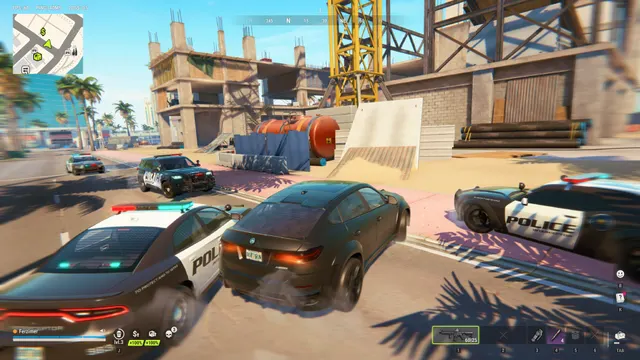
IN-GAME PREVIEW
5 screenshotsPRODUCT FEATURES
WHAT'S INCLUDED.
Feature List
Aimbot & Targeting
- Optional aim key with adjustable activation delay
- Five target-priority modes: Crosshair, Bone, Distance, Health and FOV
- Target-bone selection and bone scan
- Stick-to-target control
- Non-visible target selection
- Maximum target distance: 25–1,000 metres
- Adjustable movement prediction
- Role-based target selection for cops and criminals
Smoothing & Aim FOV
- Basic smoothing profiles: Smooth, Balanced and Aggressive
- Basic strength and Humanized controls
- Advanced aim speed and assist strength
- Bezier control points, point count, random factor and endpoint noise
- Aim-path and assist-point visualizer
- Path colour and fade timing
- Targeting FOV circle with adjustable radius, colour and visibility
- Dynamic ADS targeting FOV with adjustable multiplier
- Player ESP & Roles
- Outline, corner and filled player boxes
- Skeleton overlay
- Player names, held items, gear and distance
- Health bar and health percentage when available
- Role labels: Cop, Criminal, Civilian, Prisoner, Other and Unknown
- Editable role colours across player overlays and directional markers
- Self, target and non-target / ally display filters
- Criminals Only display filter
- Ignore Non-Visible option and player render distance
- Armour presence; segment count when detailed armour data is available
- Loadout-value estimate when inventory data is available
- Editable ESP preview layout, role preview, font size and zoom
- Loot, Vehicle & Grenade ESP
- Drawers / Containers
- Loose Loot
- Loot Bags
- Loot Nodes
- Cash
- Cargo
- Vehicles, including cars and helicopters
- Grenades
- Item names, distance labels and maximum distance up to 300 metres
- 2D Outline, 3D Outline and 3D Filled boxes where bounds are available
- Loot Values & Colours
- Loot-value estimates (~$) and exact known cash amounts ($)
- Minimum Loot Value filter with separate Show Unknown Values option
- Hide confirmed empty / taken loot
- Unknown contents and values labelled separately from empty loot
- Container and bag values based on available inventory data
- Colour modes: By Value, By Loot Type and Single Color
- Five editable value bands:
- Under $1k
- $1k–$4,999
- $5k–$9,999
- $10k–$24,999
- $25k+
- Separate colours for unknown values, empty loot, vehicles and grenades
- Radar & Awareness
- Radar with adjustable size, scale and blip radius
- Compass bar with width, range, player and team marker controls
- Directional compass with FOV clamping and distance scaling
- Off-screen indicators and direction arrows
- Off-screen marker size, padding and distance scaling
- Snaplines with start position, thickness and relationship filters
- Role colours across radar, compass and off-screen player markers
- Threat-warning widget with adjustable width
- HUD & Crosshair
- Crosshair presets and colour selection
- Adjustable crosshair gap, length, thickness and rotation
- Optional constant crosshair rotation
- FPS widget and frame-history graph
- Weapon-name and loaded-ammo widgets when data is available
- Health-bar widget
- Widget sizing, opacity and layout reset
- Camera & Lighting
- Camera FOV override: 60°–140°
- Editable Sun Color
- Fullbright with adjustable brightness
- No Fog control
- Movement & Bullet Tracers
- Bunny Hop with optional hold key; automatic when no key is assigned
- Local speed multiplier: 0.5×–9×, subject to server corrections
- Bullet tracers with adjustable colour, thickness and duration
- Optional impact markers with independent colour
- Configuration Profiles
- Save named configurations
- Load configurations from the profile browser
- Delete saved profiles while retaining the default
- Store role colours, loot filters and value-colour settings in profiles
- Keep separate aim and visual setups
COMMON QUESTIONS
PRODUCT FAQ.
Can I tell player roles apart?+
Yes. Role labels and editable colours distinguish supported roles such as cops, criminals and civilians.
Can I filter loot by value?+
Yes. Loot controls include category and value filters. Values depend on available game data; unknown contents are not treated as known totals.
Can I arrange the radar and HUD?+
Yes. Adjust radar size, scale and blips, plus compass, directional markers and supported widgets.
Can I save my role colours and filters?+
Yes. Save named profiles so your display choices and loot settings can be loaded again.
Where will I receive my licence?+
Once payment is verified and delivery completes, your licence is available in your Rogue account. Cryptocurrency orders wait for the required network confirmations.
What if I need help getting started?+
Open Rogue support with your order reference, Windows version and the exact error message. Check the current product status after a game update.
Is delivery instant?+
Yes. Your licence is delivered automatically as soon as payment is confirmed. Open the order in your Rogue account to view the delivery. Crypto payments need the required network confirmations first.
FROM THE COMMUNITY
PLAYER REVIEWS.
Verified buyers. Real experiences.
Player experiences.
Loading verified reviews…
Only verified buyers can leave a review.