SOFTWARE
ARCANE: MW4/BO7/WZ (EXTERNAL).
Explore Arcane for MW4, BO7 & Warzone. Features Silent Aim, customizable Aimbot, Player ESP, Loot ESP, Radar, recoil control and advanced targeting.
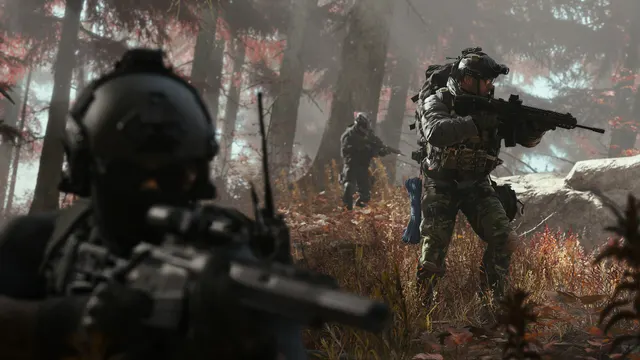
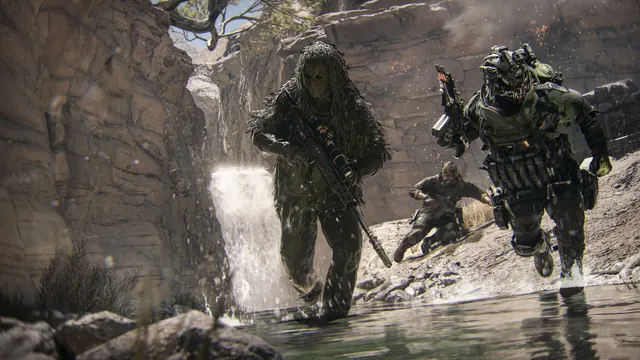
IN-GAME PREVIEW
1 screenshotsPRODUCT FEATURES
WHAT'S INCLUDED.
Compatibility
Not compatible with laptops.
Product details
Features
Controller Support: Not Included — Keyboard & Mouse Only
Aimbot & Targeting
- Vector Aim & Silent Aim
- Custom Aim Keybind
- Always Active / Hold to Activate
- Target Players, Bots, Knocked Players & Teammates
- Bone Selection: Head, Neck, Chest, Pelvis & More
- Bone Targeting: Selected, Closest & Random
- Bone Priority Settings
- Movement Prediction
- Humanized Aim Movement
- Recoil Control System
- Adjustable Aim Smoothing
- Target Switch Delay
- Visibility Check
- Maximum Aim Distance
- Customizable FOV Circle
- FOV Background & Size Adjustment
Player ESP
- 2D Boxes (Normal & Corner)
- Box Fill (Solid & Gradient)
- Skeleton ESP with Adjustable Thickness
- Head Circle
- View Direction Lines
- Enemy Snaplines
- Health & Shield Bars
- Player Names
- Weapon Names
- Team Names & Team Colors
- Distance ESP
- Knocked Player ESP
- Bot ESP
- Visibility Check
- Adjustable ESP Distance
- Customizable ESP Colors
- World & Loot ESP
- Weapon & Chest ESP
- Loot Rarity Filters:
- Common
- Uncommon
- Rare
- Epic
- Legendary
- Dropped Item ESP
- Ammo ESP
- Armor ESP
- Equipment ESP
- Money ESP
- Item Distance Display
- Adjustable Transparency
- Maximum Render Distance
Radar
- Customizable Radar
- Enemy, Teammate & Bot Tracking
- Knocked Player Tracking
- Item Tracking
- Adjustable Radar Position & Size
- Distance Display
- Off-Screen ESP
- Off-Screen Player Indicators
- Enemy, Team, Bot & Knocked Indicators
- Adjustable Position & Radius
- Distance Display
- Battle Mode
- Custom Activation Keybind
- Hide Player ESP
- Hide Item ESP
- Hide World ESP
- Hide Radar
- Hide Off-Screen Indicators
- Menu & Settings
- Custom Menu Keybind
- Unload Keybind
- Adjustable DPI Scaling
- VSync Support
- Dark & Light Themes
- Customizable Watermark
- Language Support: English, Russian & Chinese
- Config System
- Create Custom Configurations
- Save & Load Configs
- Edit Config Names
- Share Configs Using Unique Keys
- Import Shared Configs
- Remove Saved Configurations
- Supports steam, Gamepass, and Battle.net
COMMON QUESTIONS
PRODUCT FAQ.
Which aiming controls are included?+
Vector Aim & Silent Aim; Custom Aim Keybind; Always Active / Hold to Activate; Target Players, Bots, Knocked Players & Teammates; Bone Selection: Head, Neck, Chest, Pelvis & More. The full feature list above includes additional options.
What player information can I display?+
2D Boxes (Normal & Corner); Box Fill (Solid & Gradient); Skeleton ESP with Adjustable Thickness; Head Circle; View Direction Lines. The full feature list above includes additional options.
Which loot and item features are included?+
Common; Uncommon; Rare; Epic; Legendary. The full feature list above includes additional options.
What radar and HUD settings are available?+
Customizable Radar; Enemy, Teammate & Bot Tracking; Knocked Player Tracking; Item Tracking; Adjustable Radar Position & Size. The full feature list above includes additional options.
Is delivery instant?+
Yes. Your licence is delivered automatically as soon as payment is confirmed. Open the order in your Rogue account to view the delivery. Crypto payments need the required network confirmations first.
What if I need help getting started?+
Open your product’s guides and downloads in your Rogue account. If you still need help, contact support with your order number and the exact error. Check the current product status after a game update.
FROM THE COMMUNITY
PLAYER REVIEWS.
Verified buyers. Real experiences.
Player experiences.
Loading verified reviews…
Only verified buyers can leave a review.